Voice tab switcher for Chrome

You know which tab you want.

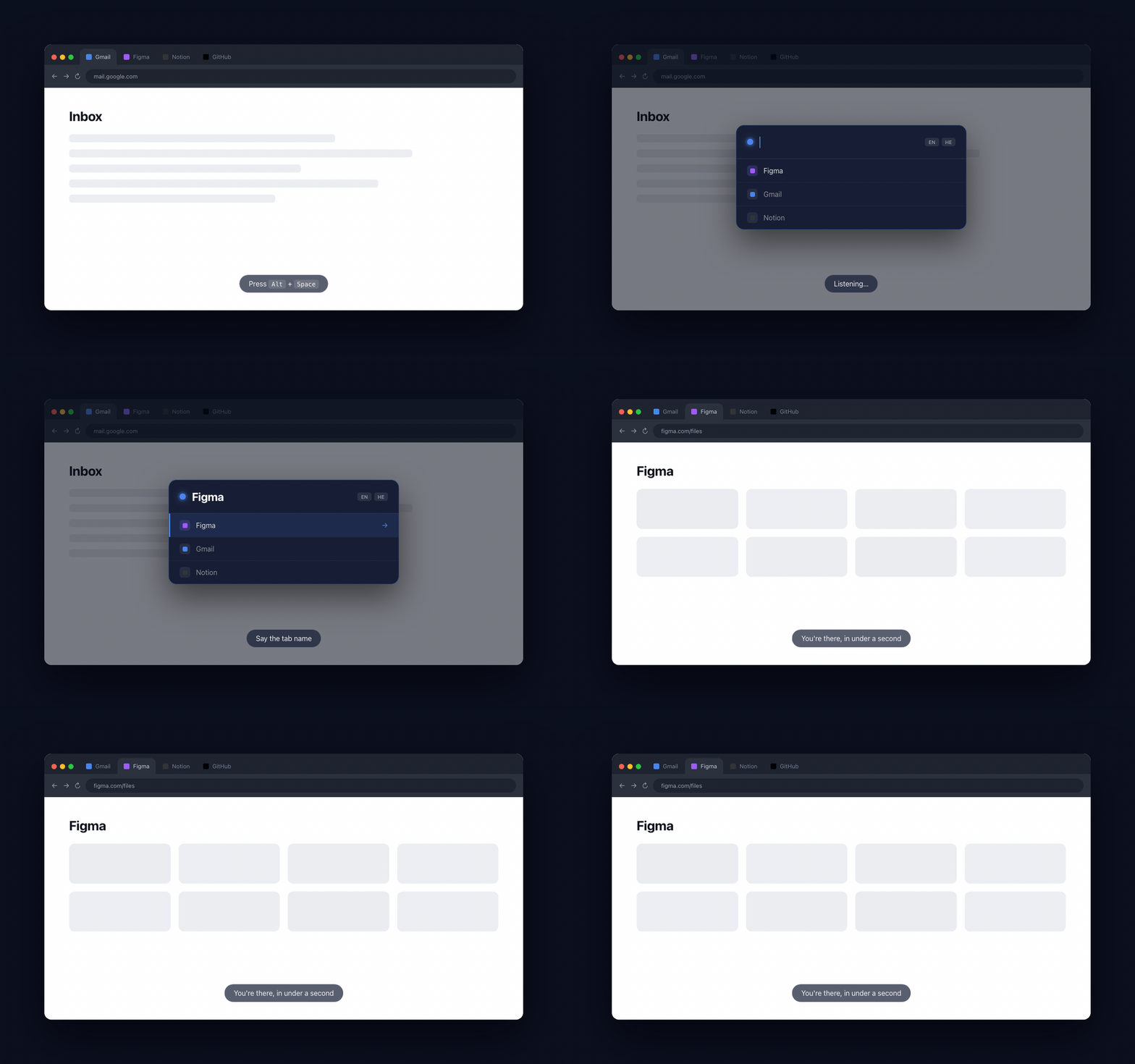
Now just say it. Press Alt+Space, speak the tab name, you're there. Faster than scanning thirty favicons.

Install Naymo
★★★★★ Free No account needed Chrome Web Store
Gmail
EN HE
Gmail
Notion
Figma

Press Alt+Space · say the name · done

How it works

01
Install and pin Naymo
Add it from the Chrome Web Store. Pin it so the icon stays visible. That's the only setup.
02
Save tabs by voice
On any page, press Alt+Space and say save tab Figma. That page is now a saved tab named Figma.
03
Say it, go there
Press Alt+Space anywhere in Chrome, say "Figma," and you land there in under a second. If it's closed, Naymo opens it.
Naymo in action: press Alt+Space, say a tab name, switch instantly
Voice tab switching
Say a tab's name and land there. Works even when you have forty tabs open.
10+ languages
Run English, Hebrew, Spanish, or any mix simultaneously. Switch mid-day without changing any settings.
Save by voice
Say "save tab Figma" on any page. That tab is now saved. No settings panel needed.
Your saved tabs stay local
Saved tabs stay in your browser. No accounts, no tracking. Voice uses Chrome's built-in speech API.

Cmd+Shift+A still makes you type. Naymo doesn't.

Built for people with too many tabs.

Install, save two tabs, say their names. You'll keep it.

Add to Chrome